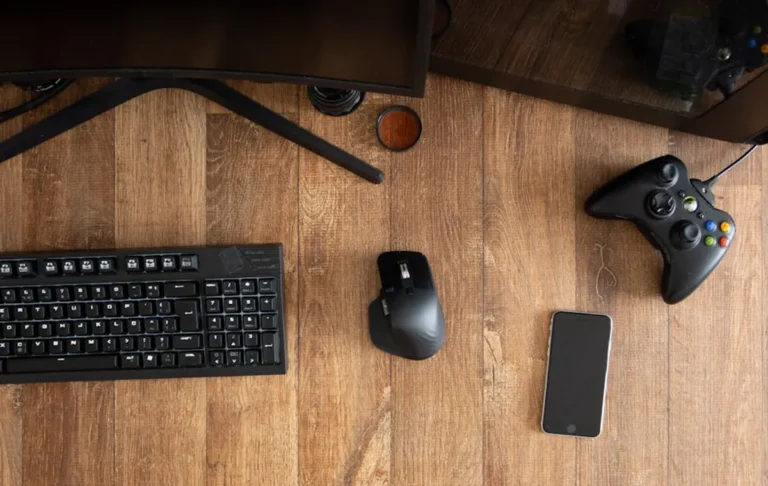
Casual gaming offers a relaxed entry into interactive entertainment, prioritizing enjoyment over competitive edge or professional-grade equipment. For players who engage with games periodically, whether for unwinding after work, connecting with friends, or exploring story-driven experiences, the investment in accessories should align with practical use and comfort without unnecessary complexity or premium costs. This guide focuses on gear that enhances the casual gaming experience through reliability, ergonomic design, ease of setup, and accessible pricing, ensuring that your setup supports your enjoyment without demanding a significant financial or time commitment.
How to Choose Gaming Accessories for Casual Play
Selecting the right accessories for casual gaming involves balancing comfort, functionality, and budget. Unlike professional setups that prioritize minimal latency, extreme customization, or specific competitive advantages, casual gear should focus on plug-and-play simplicity and broad compatibility. Prioritize ergonomic designs that prevent fatigue during longer sessions, especially for items like mice, keyboards, and headsets. Consider wireless options for decluttering your space, but ensure battery life is sufficient for your typical play duration. Evaluate the build quality for durability, as casual use still benefits from gear that withstands regular handling. Finally, assess the value proposition: features that directly enhance your enjoyment, such as clear audio or responsive controls, are more important than advanced technical specifications you might not fully utilize.
1. Logitech G203 LIGHTSYNC Gaming Mouse
The Logitech G203 LIGHTSYNC serves as an excellent entry point for casual gamers seeking a reliable and responsive mouse without overspending. Its classic design fits a variety of hand sizes comfortably, providing a familiar feel for those transitioning from standard office mice. The 8,000 DPI sensor offers precision that is more than adequate for casual play across genres, from strategy games to adventure titles, without the need for intricate sensitivity adjustments. Customization is straightforward through Logitech's G HUB software, allowing for simple button remapping and RGB lighting control, catering to personal aesthetics without overwhelming complexity.
Best for: Budget-conscious casual gamers needing a dependable, responsive wired mouse for everyday play.
Pros:
- Affordable price point makes it accessible.
- Reliable 8,000 DPI sensor provides accurate tracking for most casual games.
- Comfortable, ambidextrous-friendly design.
- Customizable RGB lighting and six programmable buttons via G HUB software.
Cons:
- Wired connection limits mobility.
- Lacks advanced features like adjustable weights or high-end optical sensors found in premium models.
Verdict: A solid, no-frills choice that delivers core gaming mouse functionality reliably and affordably, ideal for players who value simplicity and performance without extravagance.
2. HyperX Cloud Stinger Core Gaming Headset
The HyperX Cloud Stinger Core is designed for casual players who prioritize clear audio and vocal communication without the bulk or cost of high-fidelity audiophile headsets. Its lightweight construction ensures comfort during extended sessions, a critical factor for casual use where fatigue can quickly diminish enjoyment. The 40mm directional drivers provide decent sound quality for in-game audio cues and soundtracks, while the noise-cancelling microphone focuses on clear voice pickup, essential for cooperative multiplayer or chat. The on-ear volume controls and swivel-to-mute mic offer intuitive adjustments, minimizing distractions from gameplay.
Best for: Casual gamers requiring a comfortable, lightweight headset for clear communication and immersive game audio on a budget.
Pros:
- Extremely lightweight design for long-term comfort.
- Clear microphone with swivel-to-mute function.
- Solid sound quality for the price point.
- Multi-platform compatibility (PC, console, mobile) via 3.5mm jack.
Cons:
- Plastic construction feels less premium than higher-end models.
- Earcups may not offer the same level of passive noise isolation as larger, over-ear designs.
Verdict: A practical and comfortable headset that provides essential audio and communication features for casual gamers, offering excellent value without unnecessary complexity.
3. Redragon K552 KUMARA Mechanical Gaming Keyboard
The Redragon K552 KUMARA stands out as an accessible mechanical keyboard option for casual players who want the tactile feedback and durability of mechanical switches without a significant investment. Its tenkeyless (TKL) design saves desk space, making it suitable for smaller setups or those who prefer a more compact layout. The Outemu Red switches, while not Cherry MX, offer a linear, quiet keystroke experience that is responsive enough for casual gaming and comfortable for typing. The red LED backlighting provides visibility in low-light conditions and adds a touch of gaming aesthetic without complex RGB customization, aligning with a casual user's needs for straightforward functionality.
Best for: Casual gamers seeking an affordable, durable, and space-saving mechanical keyboard with satisfying tactile feedback.
Pros:
- Affordable entry into mechanical keyboards.
- Durable metal and ABS construction.
- Tenkeyless design saves desk space.
- Red LED backlighting for visibility.
Cons:
- Outemu switches may not appeal to enthusiasts accustomed to premium brands.
- Limited backlighting options (red only, no RGB).
- No wrist rest included.
Verdict: A robust and cost-effective mechanical keyboard that provides a noticeable upgrade in typing and gaming feel over membrane keyboards, ideal for casual players who appreciate mechanical switches without the premium price tag.
4. Xbox Wireless Controller
The Xbox Wireless Controller is widely regarded as a benchmark for comfortable and versatile gamepads, making it an ideal choice for casual players across PC and Xbox platforms. Its ergonomic design, refined over multiple generations, fits naturally in most hands, reducing strain during longer play sessions. The familiar button layout and responsive triggers offer intuitive control for a vast library of games, from platformers to racing titles. Broad compatibility with Windows PCs via Bluetooth or the Xbox Wireless Adapter (sold separately) ensures a seamless plug-and-play experience, eliminating setup hassles for casual users. Its robust build quality ensures longevity, providing consistent performance for years of casual use.
Best for: Casual PC and Xbox gamers seeking a highly compatible, comfortable, and reliable gamepad for a wide range of genres.
Pros:
- Exceptional ergonomics and comfortable grip.
- Widespread compatibility with PC (Windows 10/11) and Xbox consoles.
- Responsive buttons, triggers, and D-pad.
- Durable construction.
Cons:
- Requires AA batteries or a separate rechargeable battery pack.
- No built-in gyroscope or advanced haptic feedback found in some competitors.
Verdict: The industry standard for gamepads, offering unparalleled comfort and compatibility, making it an indispensable accessory for any casual gamer who prefers controller input.
5. Amazon Basics Gaming Headset (Stereo)
The Amazon Basics Gaming Headset offers a straightforward, no-frills audio solution for casual gamers who prioritize functionality and affordability above all else. Its simple stereo sound provides clear in-game audio and voice chat, fulfilling the basic requirements for most casual gaming scenarios. The adjustable headband and soft earcups aim for comfort during typical play sessions, while the integrated microphone can be positioned for clear communication. As a plug-and-play device with a 3.5mm jack, it ensures broad compatibility with PCs, consoles, and mobile devices without requiring additional software or complex setup, making it ideal for users who want to get straight into their games.
Best for: Casual gamers on a strict budget who need a functional and compatible headset for basic audio and communication.
Pros:
- Extremely budget-friendly price.
- Simple plug-and-play 3.5mm connection for wide compatibility.
- Lightweight design for basic comfort.
- Integrated microphone for voice chat.
Cons:
- Audio quality is basic, lacking the depth of higher-end models.
- Build materials feel less durable.
- Limited features and customization.
Verdict: A highly economical option that provides essential gaming audio and communication, suitable for casual players who need a functional headset without any premium features or significant investment.
6. SteelSeries QcK Gaming Surface (Medium)
The SteelSeries QcK Gaming Surface is a foundational accessory for any PC gamer, casual or otherwise, providing a consistent and smooth tracking surface for mice. Its medium size offers ample space for mouse movements without consuming an entire desk, making it practical for casual setups. The micro-woven cloth surface is optimized for both optical and laser sensors, ensuring accurate and precise mouse tracking crucial for consistent gameplay. The non-slip rubber base keeps the pad firmly in place, preventing frustrating shifts during intense moments. Its durability and easy-to-clean surface contribute to its longevity, making it a reliable, long-term component of a casual gaming setup.
Best for: All casual PC gamers looking for a reliable, precise, and durable mouse pad to enhance mouse tracking and comfort.
Pros:
- Optimized surface for precise mouse tracking.
- Non-slip rubber base keeps it securely in place.
- Durable and easy to clean.
- Available in various sizes to fit different desk spaces.
Cons:
- Basic design, lacks RGB lighting or advanced features.
- Can collect dust over time, requiring occasional cleaning.
Verdict: An essential, no-nonsense mouse pad that provides a consistent and reliable surface for enhanced mouse control, a crucial yet often overlooked accessory for any casual PC gamer.
7. Logitech K380 Multi-Device Bluetooth Keyboard
While not explicitly a "gaming" keyboard, the Logitech K380 offers significant utility for casual gamers who prioritize versatility and a clutter-free setup. Its compact, lightweight design makes it highly portable, suitable for use with multiple devices including PCs, tablets, and smart TVs, which can double as casual gaming platforms. The quiet, low-profile keys provide a comfortable typing experience, and its Bluetooth connectivity eliminates cable management issues. For turn-based strategy games, point-and-click adventures, or even typing in-game chat, the K380 provides a reliable and space-efficient solution, especially for those who game on devices other than a dedicated desktop PC.
Best for: Casual gamers who need a versatile, compact, and wireless keyboard for multi-device use, including light gaming and general productivity.
Pros:
- Multi-device Bluetooth connectivity (up to three devices).
- Compact and portable design.
- Quiet, comfortable typing experience.
- Long battery life.
Cons:
- Not designed for high-performance gaming; lacks mechanical switches or anti-ghosting features.
- No backlighting.
Verdict: An excellent choice for casual players who value flexibility and portability, serving as a versatile input device for both light gaming and everyday computing across various platforms.
8. PowerA Enhanced Wired Controller for Nintendo Switch
For Nintendo Switch casual players, the PowerA Enhanced Wired Controller offers a more traditional gamepad experience than Joy-Cons, at a more accessible price point than the official Pro Controller. Its ergonomic shape mimics the comfort of standard console controllers, providing a better grip and more substantial feel for extended play. The inclusion of mappable advanced gaming buttons on the back allows for customized controls without complex software, a convenient feature for casual players who want a slight edge without deep configuration. While wired, the detachable USB cable offers reliability and removes battery concerns, making it a dependable choice for stationary Switch gaming.
Best for: Nintendo Switch casual players seeking a comfortable, full-sized wired controller with mappable buttons as an alternative to Joy-Cons or the Pro Controller.
Pros:
- Ergonomic design for comfortable grip.
- Mappable advanced gaming buttons.
- Affordable alternative to official Pro Controller.
- Reliable wired connection eliminates battery concerns.
Cons:
- Wired connection limits movement.
- Lacks HD rumble, NFC, and IR camera found in Joy-Cons/Pro Controller.
- No motion controls.
Verdict: A practical and budget-friendly controller that significantly enhances the Nintendo Switch gaming experience for casual players who prefer a traditional gamepad feel over Joy-Cons.
9. Blue Yeti USB Microphone
While often associated with streaming and content creation, the Blue Yeti USB Microphone is an excellent accessory for casual gamers who frequently engage in voice chat with friends or participate in online communities. Its plug-and-play USB connectivity means no complex audio interfaces are required, making setup simple for any casual user. The Yeti offers multiple pickup patterns (cardioid, bidirectional, omnidirectional, stereo), allowing users to optimize voice clarity for different environments, from single-person chat to group discussions. Its robust build and clear audio reproduction significantly elevate communication quality beyond typical headset microphones, ensuring you're heard clearly without distortion, which enhances the social aspect of casual gaming.
Best for: Casual gamers who prioritize clear, high-quality voice communication in multiplayer games or online communities without needing a professional-grade setup.
Pros:
- Excellent sound quality for voice.
- Simple plug-and-play USB connectivity.
- Multiple pickup patterns for versatility.
- Durable, retro design.
Cons:
- Relatively large footprint on a desk.
- Sensitive to background noise without proper gain adjustment or software filtering.
- More expensive than basic headset microphones.
Verdict: An outstanding upgrade for casual gamers serious about clear communication, providing studio-quality voice capture with user-friendly operation, making team chat and social interactions much more enjoyable.
10. GTRACING Gaming Chair (GT002)
For casual gamers who spend hours in front of their screens, a dedicated gaming chair like the GTRACING GT002 can significantly improve comfort and posture, preventing fatigue and discomfort. Unlike standard office chairs, the GT002 features a high-back design with lumbar and headrest cushions, providing better support for the spine during extended play sessions. The adjustable armrests, recline function, and swivel base allow for personalized positioning, accommodating various body types and preferences for relaxation or focused play. While not a "performance" accessory, ergonomic support is crucial for long-term enjoyment, making a comfortable chair a valuable investment for any casual player.
Best for: Casual gamers seeking improved ergonomic support and comfort during prolonged gaming sessions to prevent back and neck strain.
Pros:
- High-back design with lumbar and headrest support.
- Adjustable armrests, recline, and swivel functions.
- Improves posture and reduces fatigue.
- Reasonably priced for a gaming chair.
Cons:
- Assembly required.
- "Gaming chair" aesthetic may not appeal to all users.
- Material quality is good for the price but not premium leather.
Verdict: A practical investment for casual gamers who value physical comfort and health, providing essential ergonomic support that enhances the overall gaming experience by allowing longer, more enjoyable play.
11. Anker USB 3.0 Hub (4-Port)
The Anker USB 3.0 Hub is a practical accessory for casual gamers, particularly those with laptops or desktop PCs with limited USB ports. As gaming setups often involve multiple peripherals—mouse, keyboard, headset, controller, external drives—a hub provides necessary expansion without requiring constant unplugging and replugging. Its USB 3.0 standard ensures fast data transfer speeds, adequate for connecting most gaming accessories without introducing noticeable latency. The compact design and bus-powered operation make it easy to integrate into any casual setup, decluttering cable management and simplifying peripheral connectivity, allowing more focus on the game itself.
Best for: Casual gamers with multiple USB peripherals who need to expand available ports and simplify cable management.
Pros:
- Expands USB connectivity with 4 additional ports.
- USB 3.0 for fast data transfer.
- Compact and portable design.
- Plug-and-play, no drivers required.
Cons:
- Bus-powered, so no external power supply for high-demand devices.
- Not suitable for charging multiple power-hungry devices simultaneously.
Verdict: An indispensable utility accessory for managing multiple gaming peripherals, providing convenient and reliable port expansion that streamlines the casual gaming setup.
12. Samsung T7 Portable SSD (1TB)
For casual gamers, especially those on laptops or consoles with limited internal storage, the Samsung T7 Portable SSD offers a significant upgrade in game loading times and storage capacity. Games today often exceed 100GB, making external storage a necessity. The T7's USB 3.2 Gen 2 interface delivers read/write speeds significantly faster than traditional external hard drives, reducing wait times when launching games or loading levels. Its compact, durable design makes it easy to transport, ideal for moving games between devices or taking your library on the go. This enhances the casual experience by minimizing frustration from slow loading and expanding the accessible game library without internal hardware upgrades.
Best for: Casual gamers needing fast, portable, and reliable external storage for large game libraries, especially on systems with limited internal space.
Pros:
- Blazing fast read/write speeds via USB 3.2 Gen 2.
- Compact, lightweight, and durable design.
- Broad compatibility with PCs, consoles, and mobile devices.
- Secure data encryption.
Cons:
- Higher cost per gigabyte compared to traditional HDDs.
- Cable management required for external drive.
Verdict: A premium but highly beneficial accessory for casual gamers who value quick access to their game libraries and seek to minimize load times, offering a significant quality-of-life improvement.
Optimizing Your Casual Gaming Setup
Building an effective casual gaming setup involves more than just acquiring individual accessories; it requires thoughtful integration to create a comfortable and enjoyable environment. Start by considering your primary gaming platform—PC, console, or mobile—and select accessories that offer broad compatibility with it. Prioritize ergonomic comfort in all choices, as casual sessions can still last for hours. Ensure proper cable management to prevent clutter and maintain a clean workspace, which contributes to a more relaxed atmosphere. For wireless peripherals, establish a routine for charging to avoid interruptions. Finally, don't overlook software settings: take a few minutes to adjust mouse sensitivity, audio levels, and controller button mappings to suit your personal preferences, even if the accessories are plug-and-play. Small adjustments can significantly enhance the overall experience without requiring advanced technical knowledge.
Frequently Asked Questions About Casual Gaming Accessories
Q: Do casual gamers really need "gaming" accessories, or are standard peripherals enough?
A: While standard peripherals can function, gaming-specific accessories offer enhancements like improved ergonomics, faster response times, and clearer audio that directly contribute to a more comfortable and immersive experience. For casual players, these benefits often translate to reduced fatigue and increased enjoyment, making them a worthwhile investment over basic office gear.
Q: How much should a casual gamer expect to spend on accessories?
A: The budget for casual gaming accessories can vary widely. A basic setup with a decent mouse, keyboard, and headset can start from $100-$150. Adding a quality controller or a comfortable chair might bring the total to $300-$500. The key is to prioritize accessories that address specific needs or discomforts, rather than buying the most expensive options.
Q: Are wireless accessories good for casual gaming?
A: Yes, wireless accessories are generally excellent for casual gaming. They offer greater freedom of movement and help declutter your gaming space, contributing to a more relaxed environment. For casual play, the minimal latency difference between wired and quality wireless peripherals is usually imperceptible and does not impact enjoyment or performance.
Q: What's the most important accessory for a casual PC gamer?
A: For a casual PC gamer, a comfortable and responsive mouse is often considered the most impactful accessory. Precise control is fundamental to almost all PC games, and a good mouse can significantly improve interaction and reduce hand strain. Following that, a comfortable headset for audio and communication is also highly valuable.
Q: Should I buy a gaming monitor for casual play?
A: While a high refresh rate gaming monitor can enhance visual fluidity, it's not a critical accessory for most casual players. A standard 60Hz monitor with good color reproduction and a comfortable size is usually sufficient for enjoying casual games. Prioritize comfort and visual clarity over competitive specifications unless you find yourself frequently playing fast-paced competitive titles.